


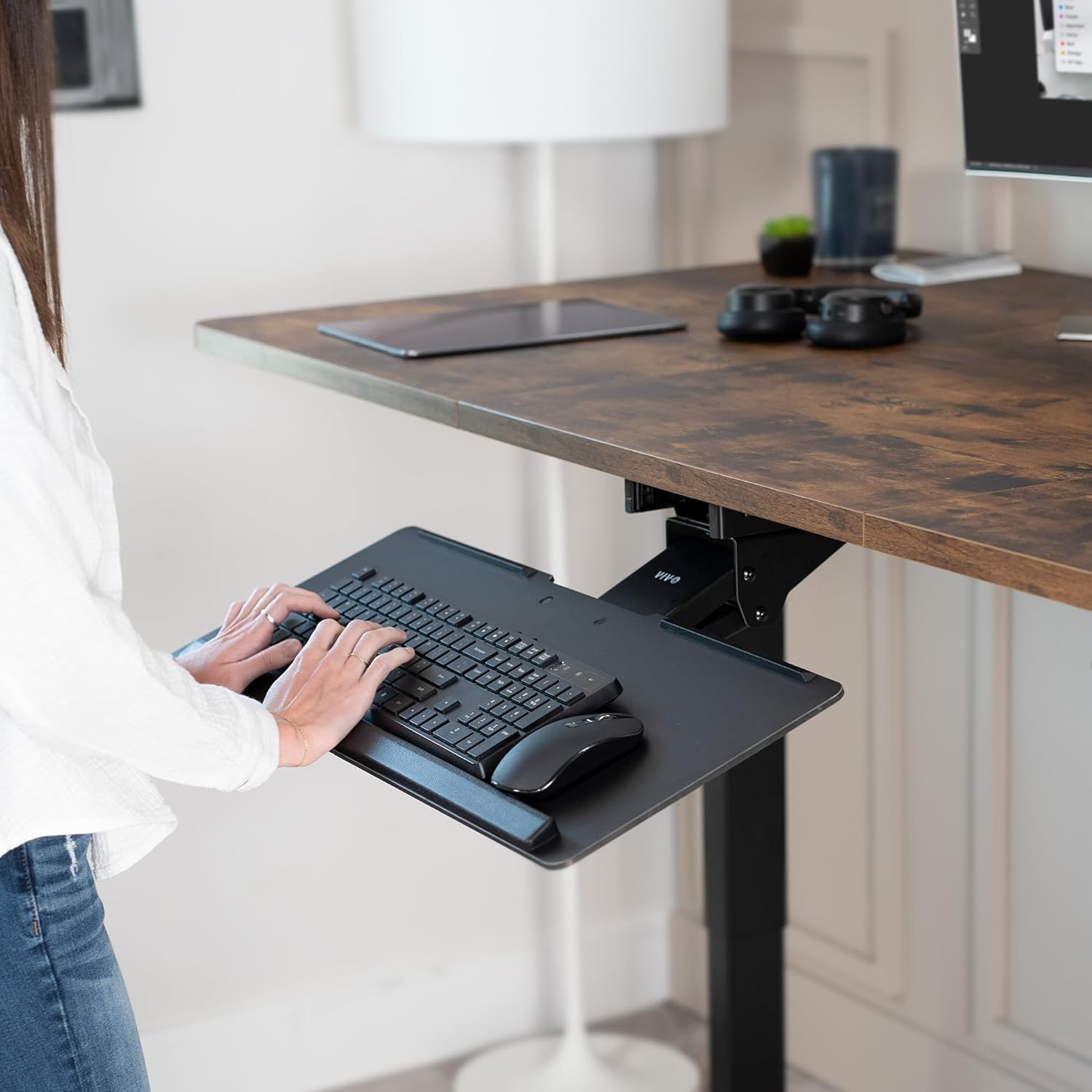



Product description

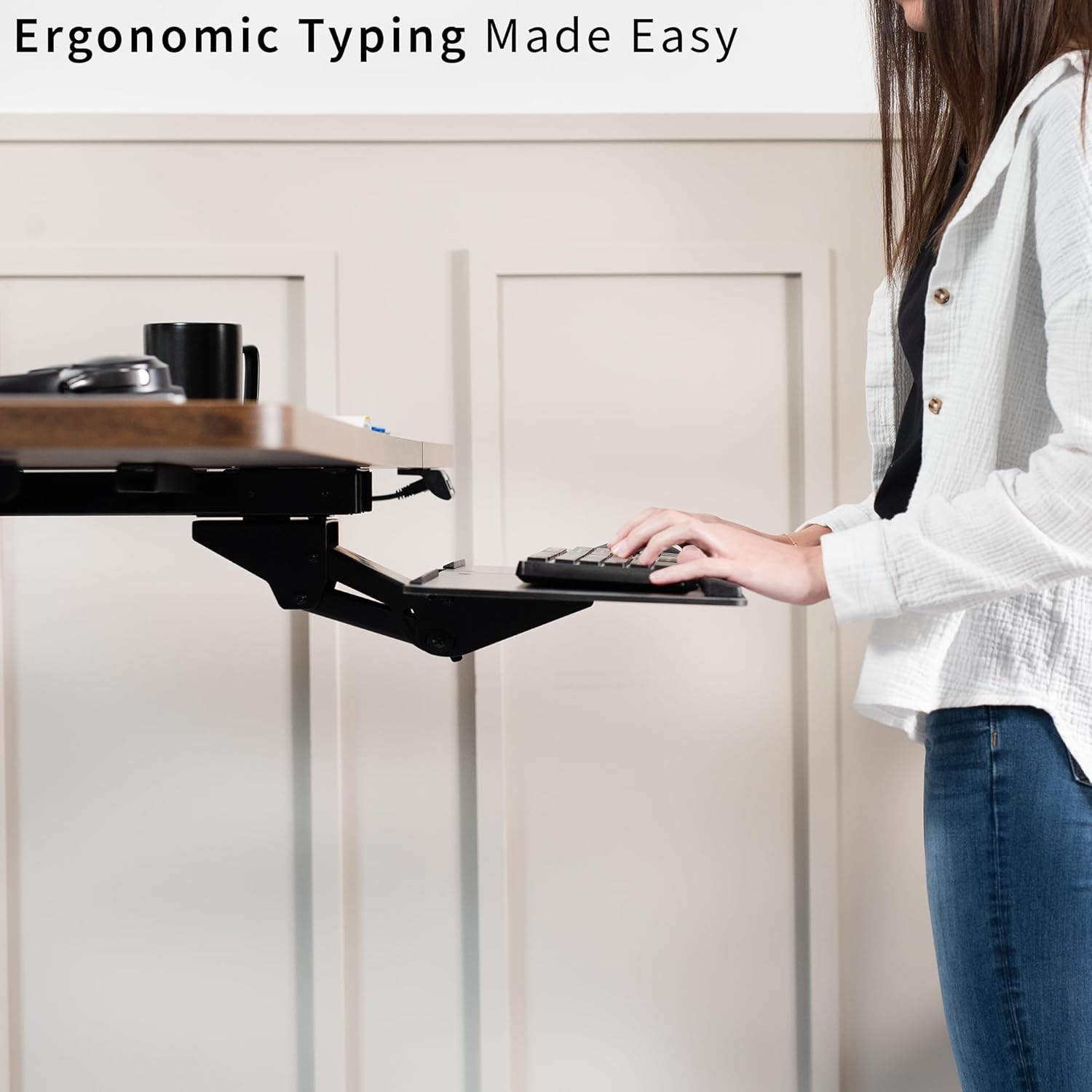
Ergonomic keyboard slider tray (MOUNT-KB04C) from VIVO! Enhance your typing posture while using our under-desk keyboard and mouse tray mount. An adjustable and convenient workflow is far more ideal and easy on the body as you type at a more ergonomic position. When not in use, simply slide the tray under the desk and out of the way. MOUNT-KB04C features a deluxe rolling track for smooth in and out motion.


Range of Motion
The adjustability of MOUNT-KB04C allows for excellent ergonomic positioning. With 40 degree tilt, 40 degree swivel, 6.7” height adjustment, and the ability to slide forward and back on a 18” track, the flexibility of tray placement is extensive. All these options make certain that finding the ideal tray angle is easy.
**Be sure to measure the underside of your desk to make sure the 16″ track will fit!

Sturdy Build
The solid steel construction of the MOUNT-KB04C ensures stability and sturdiness. The deluxe universal 26.5″ x 10″ tray fits most keyboards and mice and prevents devices from slipping off.

Gel Wrist Pad
⅝” gel wrist rest padding that comes with the keyboard tray reduces wrist soreness while typing and using the mouse.

Sleek Design
MOUNT-KB04C comes in a black matte finish to match any desk and blend in with any enviornment. The sleek metal stand is low profile and slides under the desk out of the way when not in use

Assembly and Hardware
Getting your keyboard tray set up is a breeze, and we provide all the mounting hardware for under desk mounting.

VIVO – We make it easy.
At VIVO, we turn innovative ideas into solutions that brighten your day and strengthen your career.
Ergonomic Keyboard and Mouse Tray: Mounts under your desk using the included hardware. Features a deluxe rolling track for smooth in and out movement (Total tray weight is 10 pounds. Be sure your desk can support this under-mounted weight)
Enhances Posture: Type in comfort with 40-degree side-to-side rotations, 30-degree tilting, and 6.7″ of height adjustment
Deluxe Universal 26.5″ x 10″ Tray: Weighs 12.7 lbs and fits most keyboards and mice. The keyboard slides forwards and backwards on a 16″ track. (Be sure to measure the underside of your desk to make sure the 16″ track fits!)
Wrist Padding: Reduce wrist soreness with plush gel padding that supports your wrists and arms
Simple Assembly: Includes all mounting hardware to get your under-desk keyboard tray attached


Jon –
Make sure your desk is big enough.
I have an 18″ deep desk and while I made it work just fine, it would be a pain for some as it sticks out about 2″. I think it would work perfectly with at least a 22″ desk. Since I’m not the belly-up-to-the-bar type, it works great for my needs.I would not want to put a lot of weight on the keyboard tray, and in reality, there is no reason to ever do that, but for those of us who are less gentle with our equipment, be warned.Installation was straight forward, and I now have a keyboard drawer under my desk that I believe will last quite a while.
Amazon Customer –
Super adjustable!
This product is adjustable in all the right ways. My wrists and hands feel much better using this keyboard tray. Adjusts height, tilt angle, and from left to right, then ticks away when not in use. Great product.I gave 4 stars because it is super challenging to install. I had trouble getting the holes drilled wide and deep enough to accommodate the screws provided. My desk material may partly been to blame.
C. Alexander Chidester –
Great tray, just mount with caution
I’ve had a lot of keyboard trays. I always ended up with issues every time. The screws mounted to the wood would always pop out. The tray would get stuck. This is the first keyboard tray I’m happy to have. It looks sleek, feels sturdy, and boy is it heavy. It’s also very adjustable. My only complaint is that it’s mounted via 4 screws. Due to the weight of this product, 4 screws mounted to wood would likely fall out over time. I don’t fault the manufacturer for this as you can do whatever you please with those screws. I mounted it directly to the metal supports of my desk to ensure it would stay sturdy. Now, only time will tell.EDIT:Has held up well for two years now. The only issue I’ve had is occasionally you need to re-tighten this tray if you use it quite often like I do. And by occasionally, I mean like once every two months. It’s not a big deal at all. For the price, the quality, and how well it’s held up, this product is worth it.
ToniK –
Unintuitive Installation and limited range of mobility.
I’ve been using this product for a month now to assist with my drawing setup. I’m overall underwhelmed enough to write a review for it.Installation:- The instructions were unhelpfully designed, and the way one has to install the hinge to the rails is from above, which means you have to install the product to the desk, from below, almost entirely assembled. This can make for a very heavy product to hold above you will your drill it into the desk. I suggest preplanning your screw holes and drilling ahead of time before screwing it in.Experience:- The Length of the rails runs the entire depth of my standing desk, which means that when entirely retracted, the keyboard narrowly sticks out from the front of my desk. When completely pulled out, the keyboard can reach a about foot away from the end of the desk. Neither of these positions are practical for me. I prefer it somewhere underneath the desk while i’m drawing with my Huion at the end of it as well, for that optimal standing canvas position.-The Length of the rails furthermore conflict with the space where your hand wants to interact with the keyboard. So if you’d like to type with this, your keyboard has to be positioned even further down, or pulled out entirely, otherwise my knuckles hit the rails. I prefer it angled down at max and pushed in as far as possible, however my particular keyboard’s wrist rest is too long for the length of the keyboard tray, so i have to go without it.I’m actually really impressed with it’s build quality and sturdiness. If the rails didn’t come all the way to the end of the desk that would be great, since i don’t like to pull it all the way out anyway. I wish it could angle even further down, or turn at an even greater amount, so i could shove it aside and afford myself some leg room when not in use. I suppose thats where the money is going here, build quality and sturdiness, as it will see a -lot- of use.
WorldChamp –
This slide out / tilting / rotating keyboard the best heavy duty you will find!!
I could not believe how heavy duty this slide out / tilting / rotating keyboard shelf is. Stop looking for another, you will not be disappointed. The instruction were so clear, so easy to install.
Little Lantern Reviews –
Perfect computer keyboard tray!
The keyboard tray that came with my desk ended up falling off the tracts and wasn’t going to be easily fixed. So I bought this one to replace it. I love it! It was pretty easy to install and I love all the adjustability with the various tilting options. I will note, that you do have to be careful with thinner desks. I accidentally screwed in one of the screws too far and it poked out the top of my desk.
H S –
Bracket hits my knees
I bought this tray because it was compatible with the VIVO corner mount and because it has a wide tray. I’ve been using it for a few weeks now. I love the fact that I can use this with the VIVO corner mount. However, the tray design includes support of the tray that sticks out a fair amount below the tray. I keep hitting my knees on that tray support. Also, the tray is a little thin and the support isn’t perfectly stiff, so the tray does vibrate/bounce a little when you type.
Matthew Cacchione –
I had looked online for some time for a good keyboard tray as my new desk was quite a bit narrower than my last one. The desk I had bought had a top that was made out of particle board only 3/4 inch thick. The screws provided with the keyboard tray would have penetrated the top of the desk. I also didn’t want to use smaller screws as the hardware and keyboard tray are quite heavy and solid, I didn’t want them to tear free from the underside of the desk with smaller screws.My desk also had a 1 inch metal bar along the edges which would not allow me to fasten the tray to the underside of the desk. I used 1 inch thick plywood, cut it to size (10 inches by 2.5 inches), sanded it down and spray-painted them black. These wood blocks fit perfectly behind the metal bars and provided enough clearance for the unit’s slide tray. I ended up screwing the plywood trough the top of the desk using 1 inch long flathead wood screws. They held the plywood perfectly. I then covered the screw heads with adhesive tabs.I found that the rolling mechanism on the keyboard tray was a bit stiff so I added some grease and worked it in. I then fastened the hardware to the plywood blocks from underneath as instructed. So now I had 3 screws from the top and 2 from the bottom.The keyboard tray is extremely sturdy feeling, glides under the desk with ease with the addition of a bit of grease and looks very posfessional. It is also very large, I have an oversized keyboard (which I am changing) and there is still room for the mouse.Cons:-A bit hard to install alone but not impossible, you just need to be patient and organized. Much easier with two people.I’ve seen some comments about how the tightening mechanism weakens with time. I will update this review if this happens to me.
ESTIA –
Es la segunda vez que compro este producto. En esta ocasión, la tabla soporte del teclado, llegó diferente al que se muestra en la foto de la publicación. no tiene la tira acolchonada, y el material es diferente. Me percate ayer que desempaque el producto. No pude hacer la devolución ya que tenía que entregar el producto. Voy a necesitar más, pero me queda la duda que en mi siguiente compra llegue lo que se muestra .
Shane –
Pretty good in general and solid with a couple of annoying issues.One lock for height and angle, I’d prefer if you could easily lower and slide in to tuck it away without changing the angle and is a little cumbersome.The keyboard tray is not flat, keyboard rocks side to side.
PT –
I bought this drawer, as I wanted to sit a little lower at my desk.I didn’t read the instructions first, so I installed the bracket before realizing that I had to remove it to install the arm. Other than that hiccup, installation was a breeze.Overall, the mechanism seems fairly solid (exception noted below), and I think it will serve my purpose well. The tray is wide enough to accommodate my MS Natural Keyboard (which is a wonky shape), and there’s enough room for the mouse for work activities.Two negatives:1. The platform itself flexes a bit, which, for me, causes my keyboard to lift on one corner, and then tap down again as I type. I will probably add some rubber feet to my keyboard to stop the noise.2. There is only one adjustment knob, which means that to lower / raise the tray, you also unlock the tray angle.One thing I really like is the ability to set the tray to a negative angle. This is a nice feature for more comfortable wrist placement. You can’t set it too low, though, otherwise the mouse slides down on it’s own.In summary, I would recommend this tray for someone who wants a more comfortable work setup. It’s not what I would call commercial grade, but also, it doesn’t have a big price tag. Decent value for the money.
Fer –
Excellent keyboard tray, well designed and sturdy. I’m not sure how this one compares to others as I have not owned a keyboard tray before, but I can tell this is a quality tray that gets the job done. The previous reviewer who reported this as “pretty wobbly” tray may have not installed it properly. As far I can see, wobbling -if any- is very minimal and does not affect functionality in any way. It smoothly glides in and out, and it’s super easy to adjust. I would recommend.