






Product description

Office Chair Mounted Premium Keyboard Tray
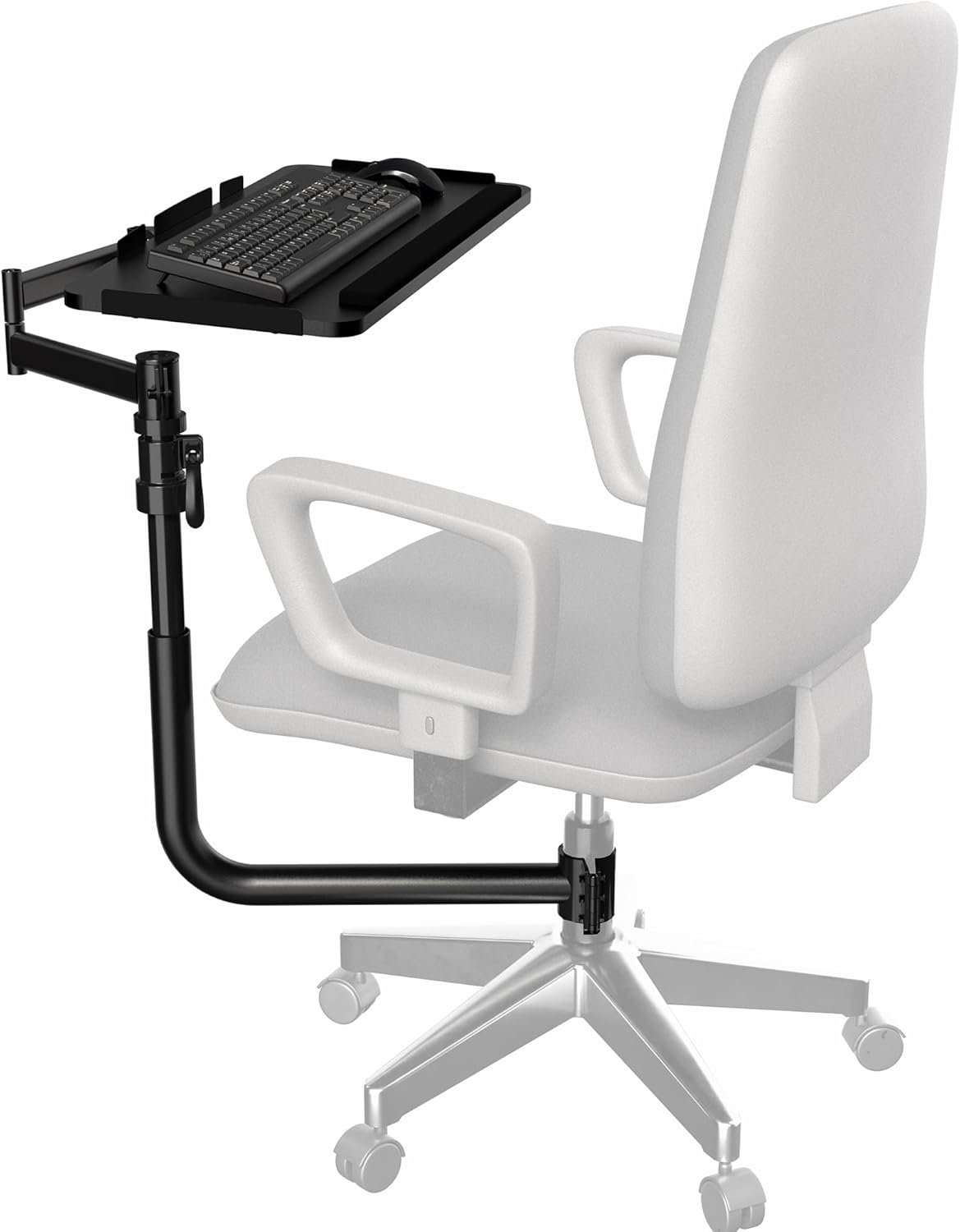
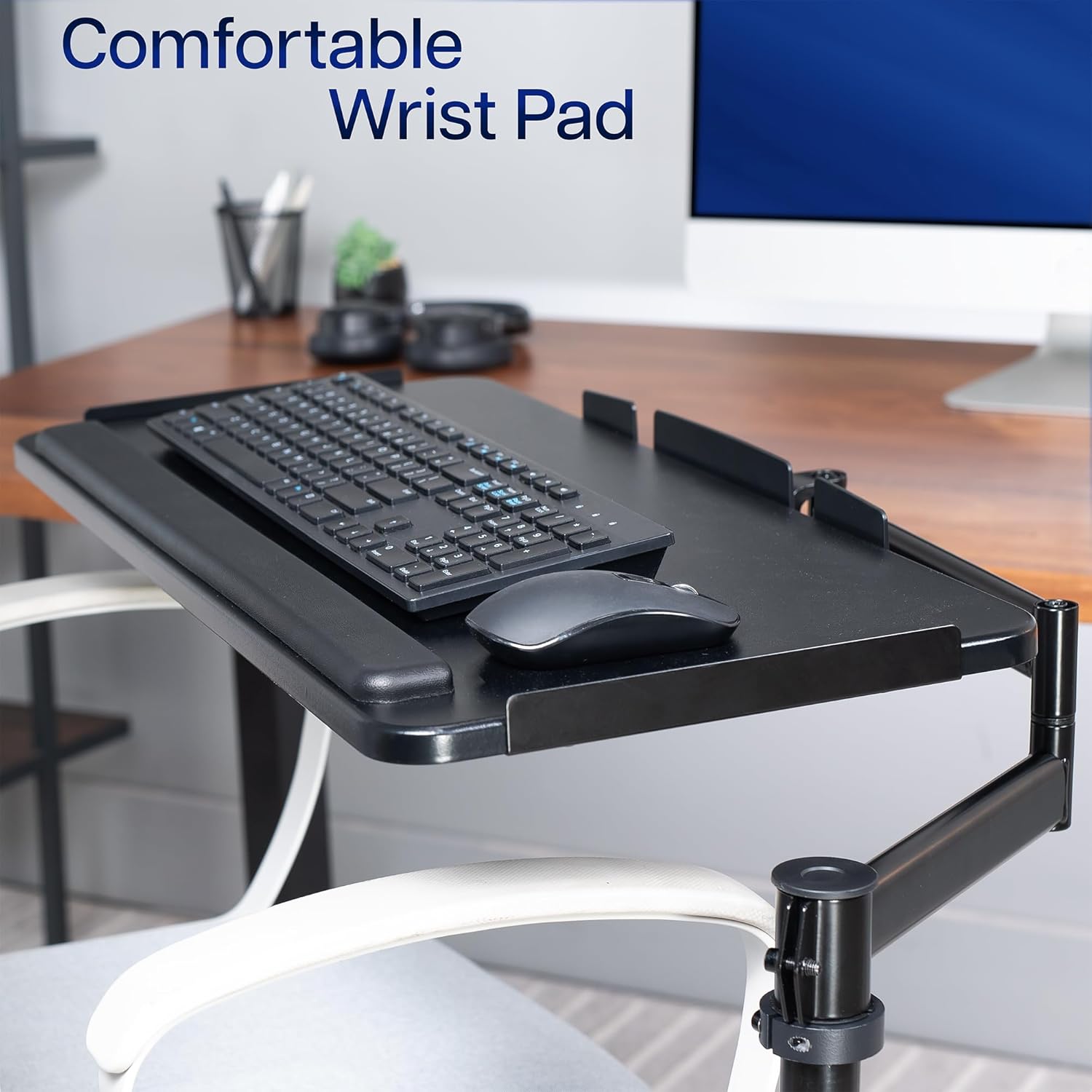
Transform your chair into a workstation with the Black Office Chair Mounted Keyboard Tray. This space-saving design keeps your keyboard, mouse, or controller within reach, offering ergonomic angles, flexible placement, and padded wrist support—perfect for both office use and gaming setups.

Full Motion Upper Arm 
PLEASE CHECK COMPATIBILITY 


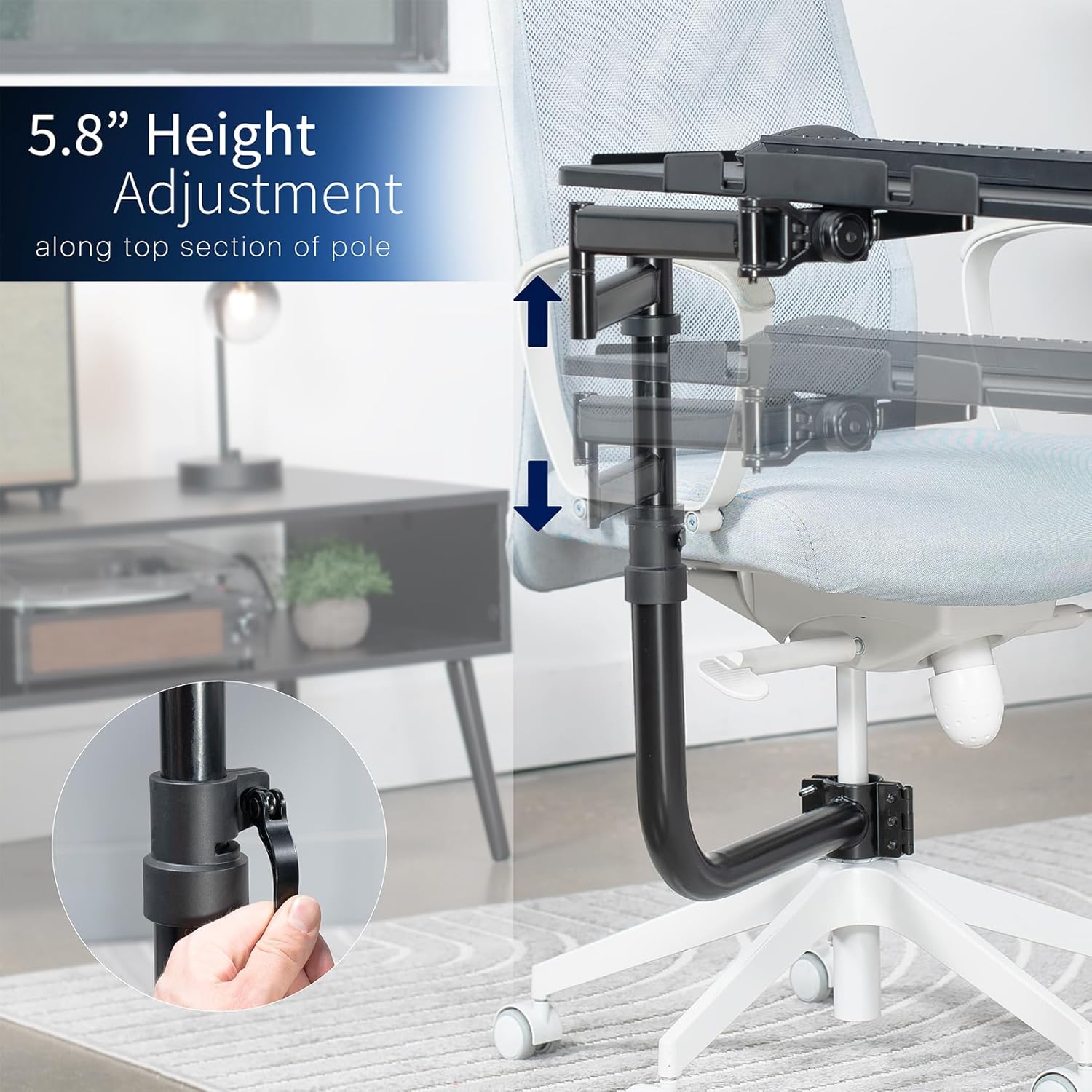
1 HEIGHT ADJUSTABLE
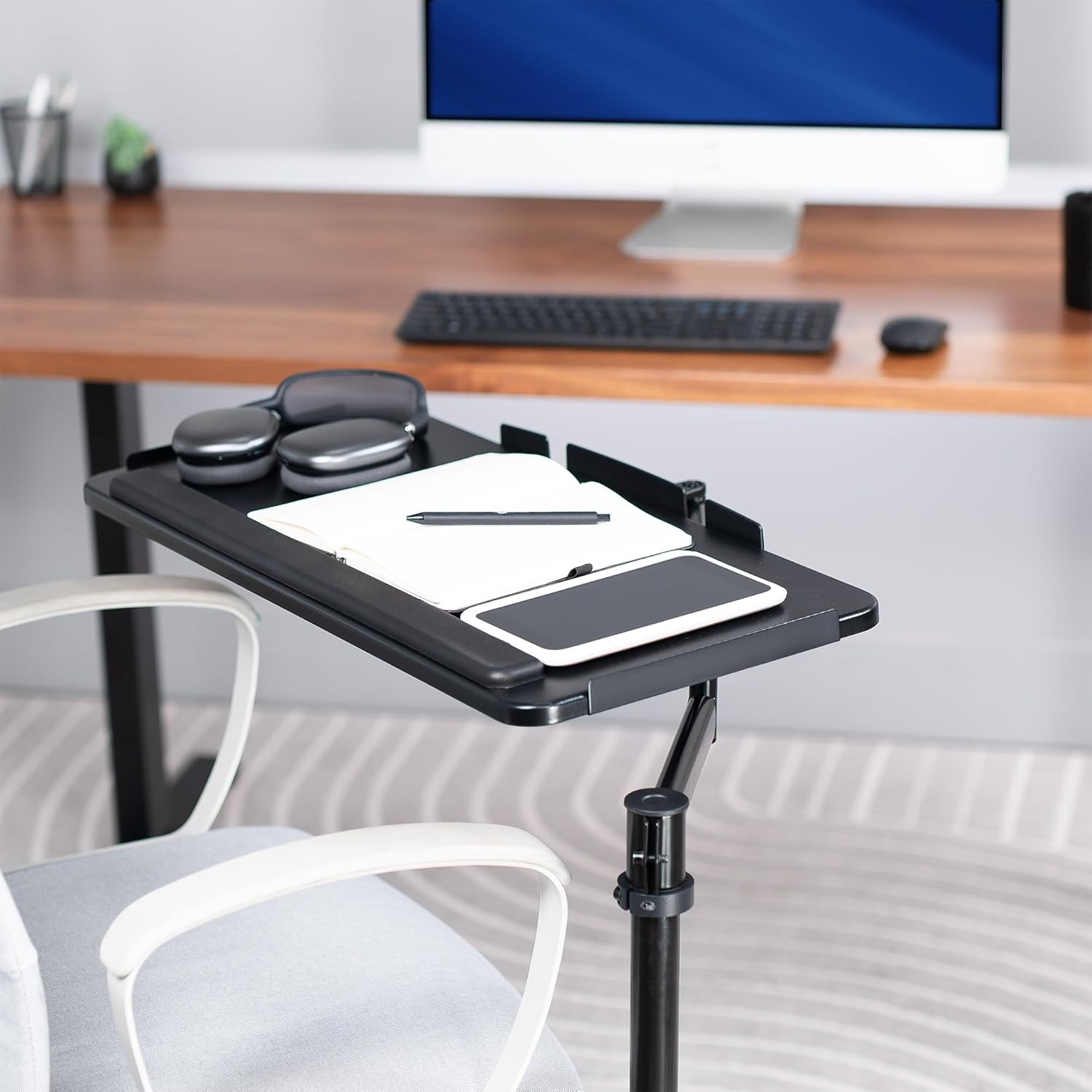
2 SPACIOUS TRAY
3 PLUSH WRIST PADDING


Over Chair Keyboard Tray: Steel arm support attaches to the bottom tube section (1.7″ to 2″ in diameter) of a standard height adjustable office chair for ergonomic typing angles and customized placement –Patent Pending–
Adjustable Tilt and Rotation: Enjoy comfortable typing with a tilting surface and full 360° rotation for flexible positioning. Accommodates both left and right-handed users
Convenient Setup: No need to attach a keyboard tray to your desk or wall with this innovative chair mount. Perfect for gamers, professionals with large screen setups, and everyday computer use
Large Keyboard Surface: The spacious 26″ x 11.8″ platform fits most standard and oversized keyboards on the market, and wrist padding increases overall comfort
Height Adjustment: Move the tray 5.8″ along the top section of the center pole for customized placement







Ethan –
Works great on Ikea MARKUS chair
The entire installation process requires some strength. It is very sturdy, with three adjustable joints, making it extremely practical. It can be adjusted to various angles and heights. Additionally, it has a rotatable handle, which makes adjustment more convenient.
Kelly –
Needs more height
I was too hopeful so I messed myself up and didn’t account for my chair being so big. The height was not good though, but the rest was doable. How I wish I could’ve made it work. The design was nicely built and solid. But for the style gaming chair I have, the keyboard was too low, even height fully lowered down. Extended, couldn’t get the keyboard over my legs. :(TLDR: Instructions were easy, the quality = good, but the height didn’t work for my gaming chair. Returning it but for those with the proper measurements, if you are looking for something like this, this is a nice one.Edit in: Sadly, this design doesn’t have a taller option available. So, I’m stuck without unless I buy and customize it so it would work. I can re-review if I do so. But the return ultimately was easy. Def be sure to keep the box in the best condition possible in case returns are needed.
MATTHEW HARRISON –
A few major flaws
You need a fairly heavy chair to keep the chair upright if you get up while mount is away from the base. Very easy to tilt over when standing up from the chair and walking away.The lever to control the tilt of the keyboard/mouse tray is horribly designed. After the chair tilted over for the first time, the lever has tighten up so hard that I can’t tilt the tray in any direction. To unloosen it… i have to completely remove the whole tray from the frame.
Ryan Yarborough –
Works like a charm.
Easily and highly adjustable. I can sit upright, recline, sit cross-legged, whatever – I can move this thing into a comfortable position and angle.I removed the arm rests from my chair allowing me to get out easily. Don’t even miss them.
Recommended👍 –
Comfortable
I recommend it, high-quality materials and easy assembly.
CJ Reid –
Excellent solution
This is robust keyboard mount with great flexibility. My computer is in a confined space necessitating its use. This is an excellent solution and easy to install.
D. Smith –
Transformative
I’m going to give this a 5 star because it has radically transformed my desktop experience having recently transitioned to a much larger monitor and monitor wall mounting system.Its assembly with so many socket screws would be very tedious and error prone with Allen wrenches alone. Much better to have a socket set with hex heads. Likewise a power drill/drive makes much faster work attaching the desk top and since you’ll probably do this from down below an LED head light is of no small benefit.The instructions could be better and their illustrations fail to account for all possible configurations which can lead to in assembly errors. In particular step 5’s illustration should state the final configuration must be accomplished with the tray bracket away from the seating position the tray’s attachment to the adjustment bracket be made accordingly (I had to due to my desk top’s height).I found it adequately configurable. I had my doubts about the lower priced KB08C model and I’m glad I chose the more configurable KB18CP.A built-in mouse pad might be of some no small benefit.
Shawn G. –
FLIMSY
Not very sturdy. Could benefit from some sort of locking mechanism so the table isnt turning all the time.