


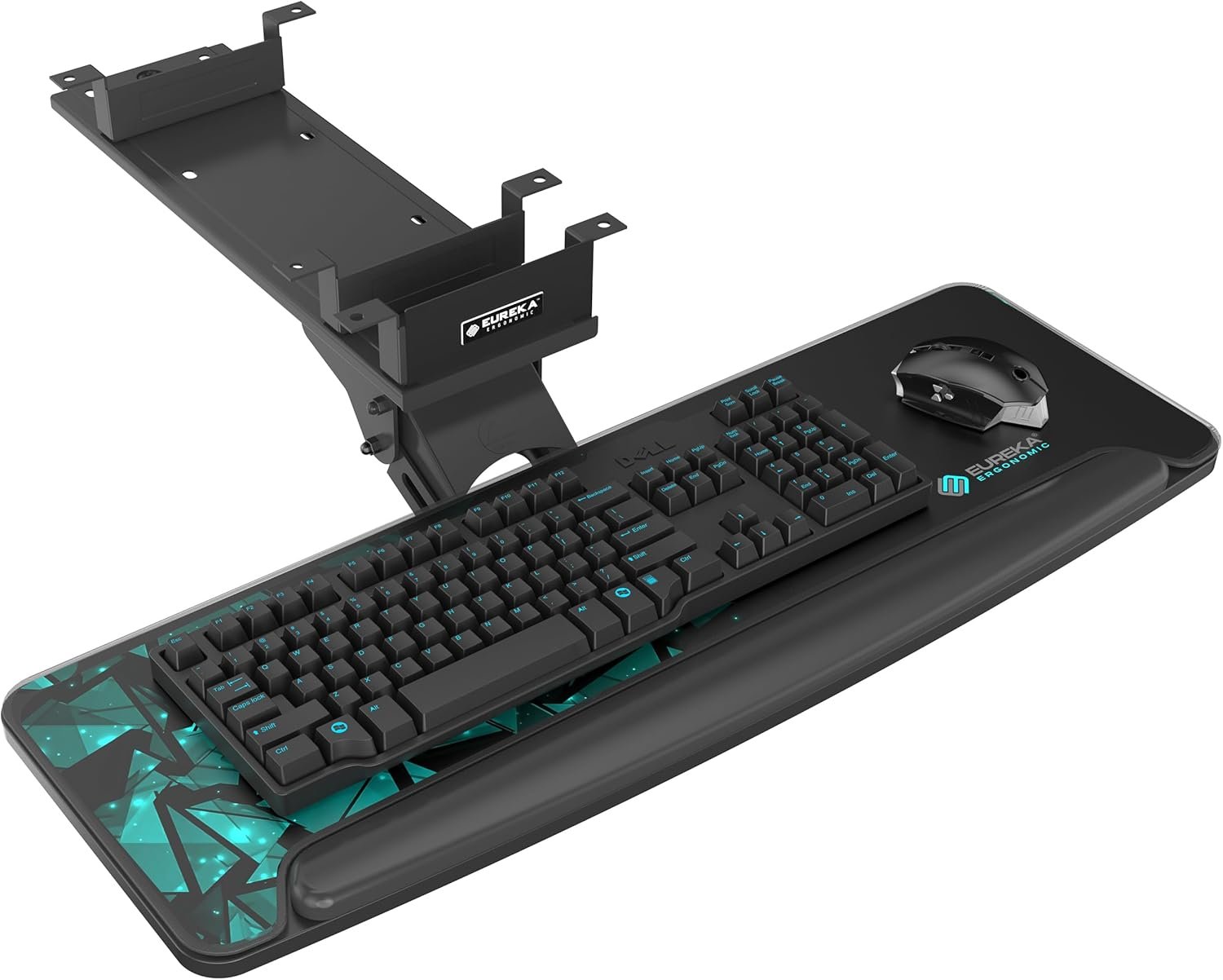


Product description

 360° Horizontally Swiveling
  Titing Angle
  Height Adjustable
  Retractable


1 Without Beams
2 With Beams
The video showcases the product in use.The video guides you through product setup.The video compares multiple products.The video shows the product being unpacked.


Modernize Your Office with Eureka Ergonomic 
What are the dimension and weight capacity?
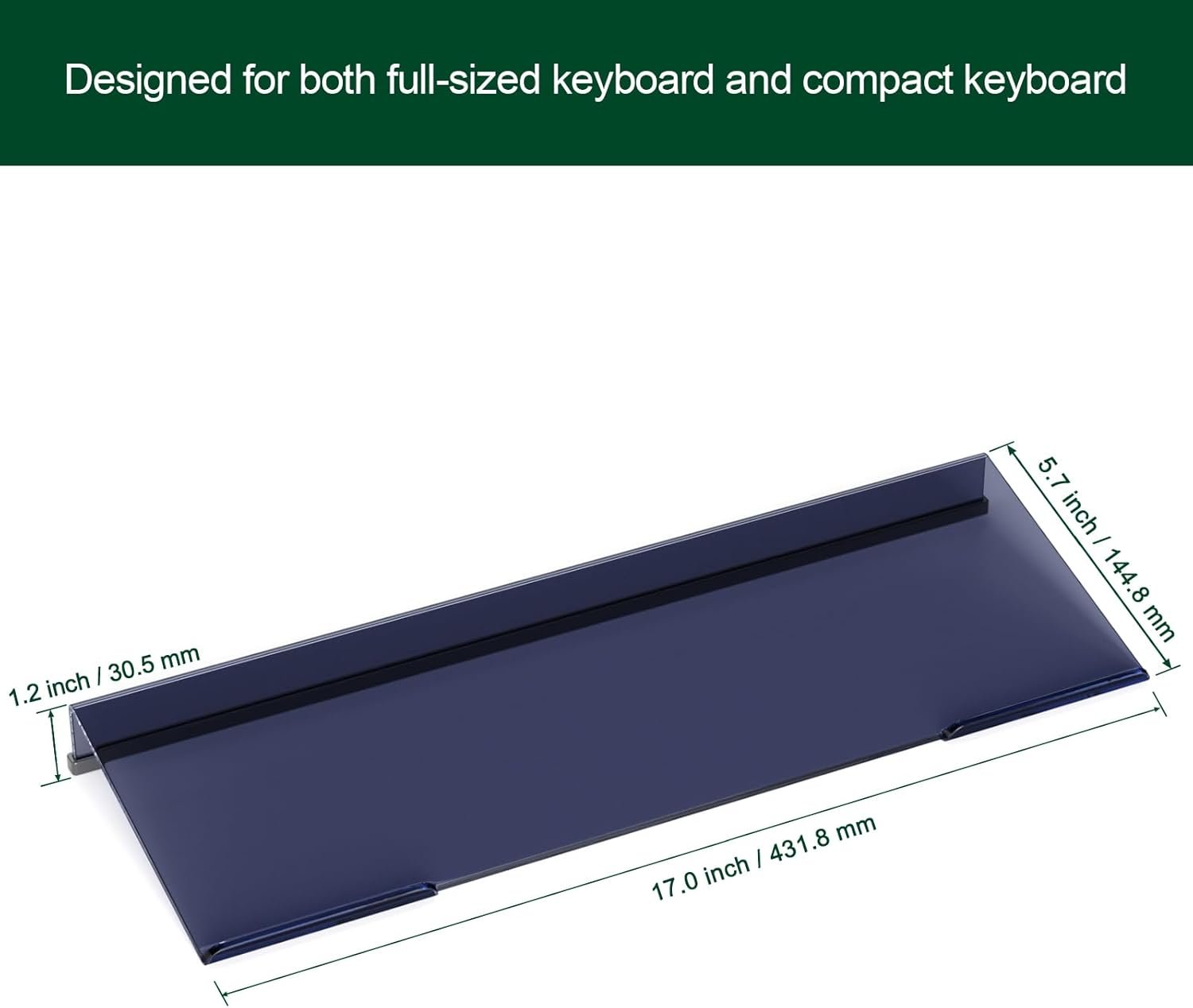
Dimension: 28.3”(L)x10.2”(W), Weight Capacity: 6.6LBS.Larger,more operating space,please make sure this is not too long for your desk and will not hit the motor.
Is this keyboard tray under desk attachable to glass desktop?
No, the keyboard drawer attaches with self-tapping screws, making it able to attach to most desktop made of materials such as wood, MDF, or other material with similar characteristics. However, plastic, stone and glass desktops are not compatible.
Are the wrist rest and mouse pad removable?
Yes, they are.
Does this keyboard tray suit for desktop thickness of 10MM?
No, please make sure your desktop thickness is at least 18MM.
What is the depth of the mounting bracket?
17.8inch, please make sure your desk depth is at least 20inch.
【Adjustable Slide-out Keyboard Tray】This ergonomic keyboard tray is height adjustable, 360° horizontally rotated/swiveling and 43°vertically tilted to your required position, pull it backward or forward. Note: The adjustable keyboard tray gravity self-locking setting prevents accidental pushing and pulling, and can be pushed and pulled smoothly by gently lifting it.
【Compatible with Different Types of Desk】Due to its special mechanical design, this keyboard under desk pull out tray also fits desks with beams. The under desk keyboard tray is compatible with desktops made of wood, MDF, or other materials with similar characteristics (plastic, stone, glass, etc., are not compatible). NOTE: Please make sure your desktop thickness is at least 0.71 inches.
【Larger with Plenty of Space】The keyboard shelf size of 28.3” x 10.2” with smooth carbon fiber texture provides plenty of room for your keyboard and mouse. Besides, the keyboard holder for desk can also hold your small laptop, iPad, or other electronics. The keyboard holder must be your space saver! Note: Please make sure this is not too long for your desk and will not hit the motor. The depth of the mounting bracket is 17.8 inches, make sure your desk is at least 20×39.5×29.1 inches (depth * length * height). Please measure the desk height to make sure there is enough leg room before installation.
【Equipped With Lip for Wrist Rest】The keyboard tray under desk features a lip supporting your wrist and preventing your keyboard from sliding down when the keyboard is tilted.
【Stable Mechanism & Solid Material】This keyboard drawer is designed with a stable mechanical structure, made of durable and solid material. Easy to assemble. The keyboard extender for desk will be a great gift idea for Christmas, New Year, etc. | Our local customer support team is always there to offer timely help.









Joey Pacheco –
Simple Install, Impressively Sturdy, Customizable
This tray is fantastic. I would buy it again in a heartbeat. I just don’t think that i’ll get to that point. I’ll go into a bit more detail.Comfort: This tray is very comfortable. It is very easy to adjust. Adjusting this tray is all done via one knob, which is located under the tray. This knob is the only problem that i have with this tray. This knob allows for the entire tray to be adjusted to fit your needs, which is incredibly simple to use. The problem is not with the ease of use, it’s with the location. When i slide this tray over my lap and then i slide my body under the tray, this knob resides exactly where my knee wants to be. Disregarding this unfortunate placement, this tray is extremely comfortable, and even offers some limited negative tilt (which i prefer)! At first, i was concerned by the method that the tray slides back and forth, which is just some sliding plastic on metal rails. After using it for a while, it occurred to me that the design was simple on purpose. It is not easy to slide, which keeps the tray in place without requiring a locking mechanism. This allows me to slide the tray in and out without adjusting any knob, but also keeps the tray in place unless i want to move the tray!Sturdiness: This tray is very sturdy. I am the kind of person that leans on the keyboard and slams on the keys (from learning to type on a typewriter), and this tray doesn’t even budge when i type on it. It feels like i’m typing on a desk! It allows for multiple movements, which do not affect the sturdiness of the tray. This tray is incredibly sturdy. I speak about how i mounted it in the next paragraph.Easy To Install: This entire tray was not difficult to install. The tray arm assembly can come out of the rail itself, which makes installing the rail underneath very simple. I installed this using the standoffs, as i have a very complicated situation on the underside of my desk. There are actually more orientations under the desk than are advertised, as there are extra holes in the rail! this made it so the very limited space that i had under my desk could be effectively utilized. I would recommend pre-drilling some pilot holes in your desk to ensure that assembly is easier, but other than that this was a breeze.
Adam –
Under desk gaming
Nice product! 4 stars because of the cost, build quality is nice and sturdy and easy to assemble and install, took me less than 30 minutes to finish. I like that it is a big area. I use it for gaming and it works well.
jimintexas –
Sturdy and flexibile in how to mount so you can get the most out of your keyboard tray.
I had previously bought a VIVO Large Keyboard tray. The nice thing about it is that it clamps onto the desk/table. That’s basically only the nice thing about it. It was very limited in how much space there was for items on the tray. The table I have has a thick edge, so that left very little space for items to be put on the tray. While it fit a keyboard, it wouldn’t even fit a regular-sized mouse. I then became interested in this one, and while I didn’t want to get one where I had to attach it to the underside of the desk/table, I bit the bullet.I had only measured the width of the keyboard tray to make sure it would fit underneath my table, but my table was slightly oddly shaped as well as having a thick edge. I had not actually taken a look on the underside of the table to see where I would mount the tray, so after starting to mount it, I realized the flat area was just slightly too narrow for the tray. However, fortunately, the L-shaped mount could be facing in instead of facing out… So even with some limitation to the width, I was able to install it successfully. Then, I realized the tray did not pull out as much as I would like due to the thick edge of the table. But again, I found due to the flexibility of installation, the mounts could not be moved closer to the edge, but the tray could be installed to be closer to the edge. So now, I can pull out the tray to the full extent. And then back to the original reason I wanted to replace the VIVO keyboard tray, this tray is adjustable how much room you want to allow for items on the tray, so I set the tray to the lowest position. It may actually be too low now (so I may adjust it to one position higher)… But it’s nice to know I have all this flexibility!The photo is showing the limited flat space I have underneath the surface to install the tray. You can see how on the left side, I’m reversing the mount so that the L-shaped mount is facing inside instead of facing outside like on the right side of the tray. Also, you’ll see that the left leg of the table is actually blocking where the back mount would be installed, but with this keyboard tray, there’s complete flexibility where to install the mounts, so actually on the left side, I installed the two mounts right next to each other instead of one in the front and one in the back. Still extremely stable! Great job in its design!
PT –
Sturdy, Adjustable to Fit, Well Made
The main reason I bought this is that it is adjustable. It worked perfectly on my computer table. Be sure to watch many times the video on Amazon on how to assemble it, along with the minimalist paper instructions. Both help. It is straightforward. We assembled the slide out shelf and then had someone under the computer table hold it in different positions, while someone sat at the table to check the positions suitability. Then we switched. The the person under the table marked where the screws would go in holes in the brackets to attach to the underside of the table. Then we flipped the table over, aligned the brackets to the marks on one side. Drilled only a 1/16 inch deep pilot hole with a 1/16 drill bit. Just a very small hole worked well to get the screw started. Then we did the same on the opposite side, but we used the holes in the brackets not our marks to guide where we put the screws. The product comes with extra screws and the two hand tools you need-allan wrench and small Phillips head screw driver. Took about 2- 2.5 hours, but could take less, if you do not need to test and adjust the position under the table. Seems sturdy and well made. The walnut color matched out desk. Excellent product.
Siegi –
Super. Auch alleine einfach zusammen- und anzubauen.Ziemlich schwer das Teil hat über 7 kg also stabil.Leicht ausziehbar, fraglich ist nur wie lange die Kunststoffführung halten.LG 🙂
Ed M –
Keyboard tray runs smoothly in and out..and fits perfectly under my desk.
Henry –
The good:* Sturdy* Extra wide and can have a Logitech G613 gaming keyboard with enough space left for my mouse.* wrist rest is nice and firmThe bad:* the slider mechanism (or a lack of) is terrible. once assembled,it’s difficult to pull the tray out or push it in. this is because id doesn’t actually run on a ballbearing slider mechanism. it’s just metal on a metal rail so with the weight of your hands, keyboard, mouse and weight of the tray it makes it difficult to slide it in and out.I’m still keeping it as it’s really wide and I can deal with difficulty in pushing or pulling but others might be put off by it.
Kat –
This product was purchased with some caution. However, it comes packaged with extra braces and screws for different types of desks. I was hesitant and concerned it would not fit my Sit Stand desk as it has a massive mount in the middle with the powerpack. This suits it perfect, and it holds a lot of weight at 3kg and is big enough for an extra large keyboard and large ergonomic trackball. I love how it fits, and it easily slides under my desk. The only negative drawback is that the twist lock is rather tight and springs up very quickly and if you are too slow you can get your fingers caught in the top. i just gently hold the front of the table and I can adjust it quickly.
Client –
Ce genre de système ne plaît pas à tout le monde mais si c’est ce que vous recherchez, ça correspondra à vos attentes (solide, réglable et ergonomique).